// post · 746
Velocity 9x Version 0.3
The first release is now out! github.com/michaeldale/velocity9x
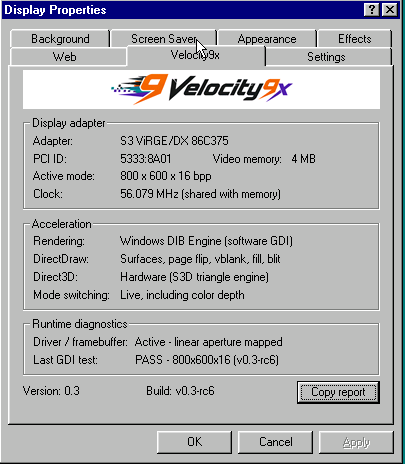
The first release is now out! github.com/michaeldale/velocity9x
I've been working on a built from ground up Windows 98 driver for VGA cards.
My ultimate goal is to create a driver for at least one video card that is better than what was released by the manufacturer at the time. That may not be possible but I'm keen to try. Based on my reading the best card I can improve on will be an ATi Rage Pro (R3).
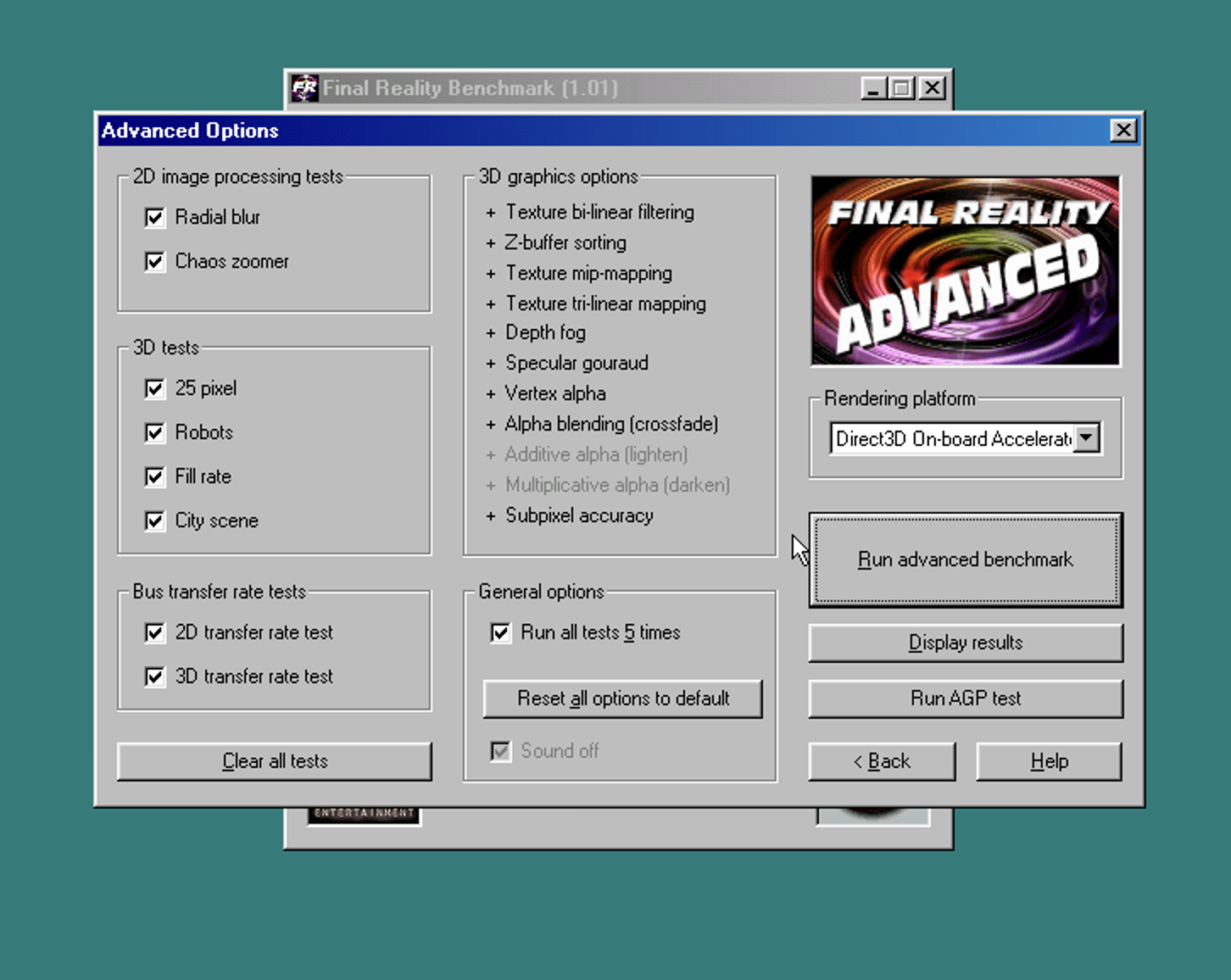
That is going to take a lot of work and I have no idea what I'm doing, but so far I've got basic Direct3D working on an S3 Virge. I picked the Virge as it is very well documented and supported.
Most of this has been written by ChatGPT/Codex Sol 5.6 model with some planning and help from Claude/Fable.
It's been a lot of back and forward and as part of the process I (AI) wrote a small Win98 background task so AI can drive the machine (upload files, take screenshots, move the mouse etc), this reduced the manual testing required. I've released the agent here github.com/michaeldale/V9x-Remote-Agent
We will see how it goes but has been a fun little project!
A question that's nagged me for years: if you dropped a 387 maths coprocessor into a 386DX-40, would SimCity 2000 run any faster? Plenty of DOS games never touched the FPU, so the coprocessor was often dead weight. So I pulled apart the shipped binary to check.
There's no source, so this is static analysis — disassembling SC2000.EXE from the 1994 CD-ROM Collection. Claude did most of the legwork counting opcodes, same as the recent site redesign.
SC2000.EXE is a 32-bit protected-mode program behind a DOS/4GW extender, compiled with Watcom C/C++ as a Linear Executable. It was built with Watcom's -fpi floating-point model, which matters below.
Yes — around 543 x87 instructions spread across the 644 KB code segment. A typical routine:
fild   word ptr [ebp-4]     ; int -> float
fmul   dword ptr [ebp-0xc]
fadd   dword ptr [ebp-8]
fdiv   dword ptr [0x543b]   ; divide by a float constant
fld1                        ; load 1.0
fcomp  dword ptr [ebp-8]
fnstsw ax / sahf / jbe      ; FP compare -> branch
The fnstsw ax; sahf; jbe sequence is the 387-era way of branching on a float compare; a Pentium Pro would use fcomi, which never appears, so this was written for the 386. There's also a lot of fild/fistp — int to float and back — which is what you'd expect from a sim that keeps its state as integers.
The -fpi model emits real x87 instructions and links a software emulator as a fallback. With a coprocessor they run on it; without, they fault and the emulator handles them. There's the usual detection routine (fninit, read the control word, cmp ah, 3) and support for the NO87 environment variable to force the emulator. So an FPU is used when present but not required.
Per operation, a 387 op is about 25–90 cycles; emulated in software it's roughly 1,000–5,000, so the coprocessor is about 20–80× faster, worst for divides and transcendentals. But only about 2.5% of the game's functions touch the FPU. The constant work — the 128×128 tile sim (power, water, traffic, pollution, land value, crime) and the isometric blitter — is all integer.
| Workload | Effect of a 387 |
|---|---|
| Normal play — scrolling, drawing, the sim tick, UI | A few percent at most. |
| Periodic recalcs — budget, graphs, terrain generation, loading a city | Noticeable; a 1–2 s pause can become near-instant. |
A 386DX-40 with no coprocessor runs SimCity 2000 fine — that's what the -fpi/NO87 design is for. A 387 won't help the scrolling, but it takes the edge off the periodic pauses (when processing e.g the budget).
AI is finally here to take our jobs :)
Got Claude Code do to a bit of design work to the site. Still running the same old backend PHP but some newer HTML/CSS. It makes updating old code so much more accessible, hopefully I will still be running the same old crusty backend in 2050.
I used this markdown file https://getdesign.md/ibm/design-md to ask Claude to rewrite the theme.
It's not really a massive improvement at this stage, but I didn't have to write any code, so that is a plus...
I should ask it to start writing my blog posts, might be more interesting.
EDIT: I ran out of tokens now too :(
Upgrading the OS this site (and a few others including https://www.vogonswiki.com) runs on was one of my goals for the Christmas break this year.
Unfortunately there is a lot of old scripts running on it; making it difficult to move past PHP 7.0.
I've finally fixed a lot, most were pretty easy (including this site), mediawiki was the worst so far.
I've been able to switch over to PHP 7.3 now which is great. Hopefully I can get to 7.4 this year?
Also had to rebuild the raspberry pi zero running our gate recently. That was a pain. The SD card died so I replaced that and upgraded to Raspbian/Debian 12, that broke all the GPIO libraries I was using :/
Isn't upgrading fun? Actually I'm pretty happy how well things are working considering I ignore them for years at a time.
Next I'm actually thinking of upgrading this blog to replace the theme with something new, although not sure yet.
When I get time, I've been doing various retro computer hardware videos on youtube. As the ads get worse and worse, I feel I should host them somewhere else. This seems like the best place, maybe not the best technically, but logically! I'm not sure if this will work, I may need to convert them.
If it works, time permitting, I might upgrade the site to handle videos better....
EDIT: It's not working currently, haha, now I need to find the repo for this site to fix it, It may still be running in subversion, need to migrate it to git, oh wow this just became a big job.
EDIT: Success! Repo was already moved to git so that was good, just needed to work out how to get video allowed in library I use to whitelist html. I've also used ffmpeg to convert to mp4.
I have a small solar setup in the shed outside to power some lighting and a couple of raspberry pi's.
Normally if I go into the shed during the day and start using power the Victron solar charge controller will automatically feed power in to cover the load (where possible). I noticed today that it wasn't.
I did a bit of googling and connected the controller to my laptop and couldn't find any issues. The load output was still working but no power was being taken in from the solar panels. The lights on the controller still seemed to indicate that it was trying to charge.
I have an amp meter on the solar side so I knew there was no power going in.
So I disconnected the panels and battery to restart the controller and it just starting working again. I assumed that it crashed or something (which was disappointing as I really like it and want another).
After I left it to top up the battery I tried again and noticed the same issue.
Looking at the shed temperature I found it was just hitting 40c when the issue occurred.
This time I didn't reboot the controller and left it.
This afternoon once the temp dropped below 40c the charge controller automatically kicked in again without any intervention on my part.
So good news it seems that the controller didn't crash but simply limits the charging if above 40c. I'm happy with that and now know for future.
I just upgraded the server that runs this website to Debian 9 (finally). This broke some things (old KSES html cleaning code).
I found a version I half worked on from ~5 years ago and did an upgrade to that (uses new htmlpurifier and replaces KSES).
That version had a half written new authentication hash system (thanks Michael from 2014).
So that broke login.
That is now somewhat fixed!
Honestly not too bad considering the code is almost 15 years old!