// post · 356
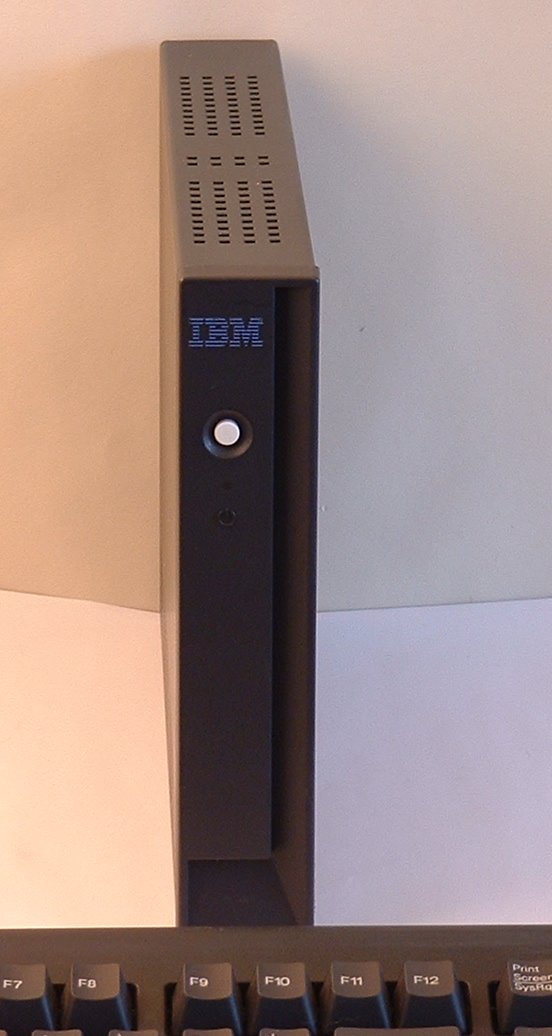
Installing "Linux-2200" onto the IBM Netvista N2200 (8363)
I thought the documentation on installing Linux onto the N2200 wasn’t great so I decided to write up something myself.
Please note that I did not write or compile this software, the original source of this program can be found here.
Things you’ll need:
Local Mirror of Linux-2200 (Aust): http://michaeldale.com.au/files/N2200/linux-2200-0.2.1.tar.gz
Original Location: ftp://ftp.berlios.de/pub/linux-2200/linux-2200-0.2.1.tar.gz
Latest BIOS for N2200: http://michaeldale.com.aufiles/N2200/bflash.2200
Make sure you have all this stuff before you start.
Notes:
You will need to be logged in as root for most of this installation, if you feel you may break something use a live CD.
I used Ubuntu 4.10 on my PC as that is what I had on CD at the time. This can be downloaded from here.
If you don’t feel like downloading a 600mb ISO you could try damn small linux, this should work too, although I haven’t tried it
(Note: Some people have had issues with Fedora 4 and 5 when creating the image on the CF card).
Some people have had problems with certain CF cards, although many have gotten theirs to work after reformatting the card and trying again. If you have a camera that supports CF, try formatting the card in this first.
Installing Linux-2200
The first step is to create a partition on your CF card. I used fdisk to do this. In most cases the CF card is seen as a SCSI device and will be in the form /dev/sdX where X is the SCSI number (a,b,c etc). If you have no other SCSI devices it should be /dev/sda, if you have a multi format card reader (or USB stick plugged in) it maybe /dev/sdb /dev/sde etc.
Create a new Linux partition (you want it set to partition 1) Then write and close. Now you can create the Linux file system.
(1 being the partition) Now you can mount the drive
Now extract the linux-2200 tar file to a place onto your hard drive:
open the folder linux-2200-0.2.1 Copy everything inside it to your CF.
If you need to update your N2200 BIOS copy bflash.2200 to the root of the CF card too. Now un-mount the CF card.
Put the CF card into your N2200.
If you need to upgrade your N2200 BIOS press ESC on start up and choose to boot off the flash card and point the system to boot from /bflash.2200. Then restart the system. The BIOS should be upgraded and the system will restart. Go back into the BIOS and make sure the system now boots off /linux.2x00 (not 2200). Linux-2200 should now be running on your system .
Installing software
The following is taken from here:
I have both a N2200 EXX and an WXX.
The EXX is the standard Ethernet version with no flash card by default. The WXX is the Windows CE version with a 16mb flash card.
Unfortunately my WXX doesn’t power on, it seems as though about 7 capacitors have blown on the system. I am looking into replacing them although I don’t know if this will bring it back to life.
The capacitors are 1500 microfarad at 6.3volts (although voltage isn’t an issue as long as it is at least 6.3volts).
It seems that is was fairly common on the N2200, although I think it maybe only the WXX model as my 4 EXX systems are fine.
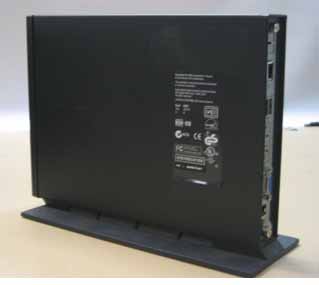
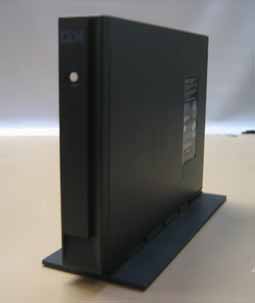
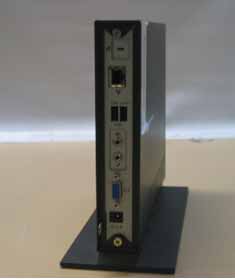
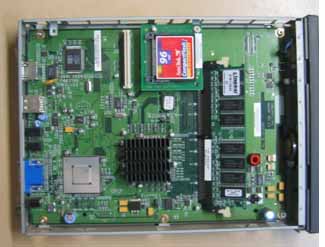
Have a look at the photos below, the WXX is on the left (blown capacitors are in lower left).
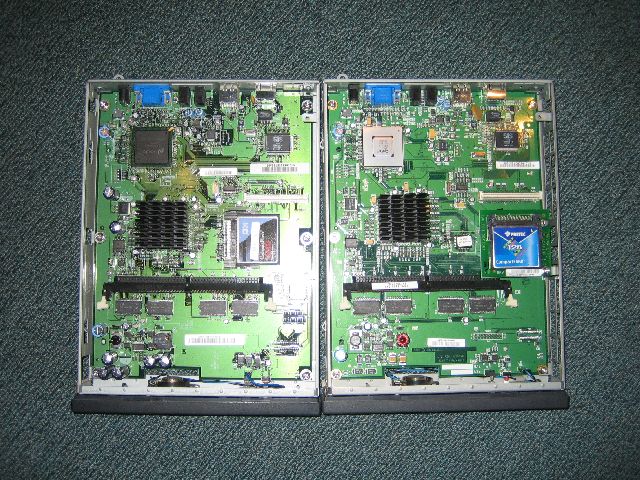
The 16mb flash card in the WXX contains Windows CE although this doesn’t work on the EXX model. Apart from that (and the small motherboard differences) the systems are almost identical. Each system has a Cyrix MediaGX subsystem (Video and CPU).
Linux-2200 is a very basic Linux install based on Debian. It is quickly done and probably needs a little work. Here are some configuration changes I did to the system after I installed it. Make sure you make these changes to the flash card (and not the ram disc). Fixed the keyboard mapping as it is set to a German style keyboard.
A quick note on performance
There are some issues with Linux-2200, for example the web browser included (dillo) at its current version does not support CSS and many other things. I plan on getting firefox running on it, so I will update this page when/if it gets done. I would also like to redistribute Linux-2200 with some small changes (including the fixes above and firefox)
Other Software for the N2200 Other Links
Please note that I did not write or compile this software, the original source of this program can be found here.
Things you’ll need:
- A Netvista N2200 thin client
- A Linux box (I used a live Ubuntu CD has I don’t have any Linux systems)
- A Compact Flash (CF) card (min 64mb)
- A card reader or some way of modifying the CF card on your Linux system
- linux-2200-0.2.1.tar.gz (29mb)
- Latest BIOS for N2200 (520k)
Local Mirror of Linux-2200 (Aust): http://michaeldale.com.au/files/N2200/linux-2200-0.2.1.tar.gz
Original Location: ftp://ftp.berlios.de/pub/linux-2200/linux-2200-0.2.1.tar.gz
Latest BIOS for N2200: http://michaeldale.com.aufiles/N2200/bflash.2200
Make sure you have all this stuff before you start.
Notes:
You will need to be logged in as root for most of this installation, if you feel you may break something use a live CD.
I used Ubuntu 4.10 on my PC as that is what I had on CD at the time. This can be downloaded from here.
If you don’t feel like downloading a 600mb ISO you could try damn small linux, this should work too, although I haven’t tried it
(Note: Some people have had issues with Fedora 4 and 5 when creating the image on the CF card).
Some people have had problems with certain CF cards, although many have gotten theirs to work after reformatting the card and trying again. If you have a camera that supports CF, try formatting the card in this first.
Installing Linux-2200
The first step is to create a partition on your CF card. I used fdisk to do this. In most cases the CF card is seen as a SCSI device and will be in the form /dev/sdX where X is the SCSI number (a,b,c etc). If you have no other SCSI devices it should be /dev/sda, if you have a multi format card reader (or USB stick plugged in) it maybe /dev/sdb /dev/sde etc.
Fdisk /dev/sda
Create a new Linux partition (you want it set to partition 1) Then write and close. Now you can create the Linux file system.
mke2fs /dev/sda1
(1 being the partition) Now you can mount the drive
Mount /dev/sda1 /mnt/someplace
Now extract the linux-2200 tar file to a place onto your hard drive:
tar -xzf linux-2200-0.2.1.tar.gz
open the folder linux-2200-0.2.1 Copy everything inside it to your CF.
cp -a linux-2200-0.2.1/* /mnt/someplace cp -a linux-2200-0.2.1/.fluxbox /mnt/someplace cp -a linux-2200-0.2.1/.xinitrc /mnt/someplace
If you need to update your N2200 BIOS copy bflash.2200 to the root of the CF card too. Now un-mount the CF card.
Umount /mnt/someplace.
Put the CF card into your N2200.
If you need to upgrade your N2200 BIOS press ESC on start up and choose to boot off the flash card and point the system to boot from /bflash.2200. Then restart the system. The BIOS should be upgraded and the system will restart. Go back into the BIOS and make sure the system now boots off /linux.2x00 (not 2200). Linux-2200 should now be running on your system .
Installing software
The following is taken from here:
You must have a Debian Woddy Linux.Software included
First look where the app (for example:Nedit) you needed is:
$ whereis nedit
nedit: /usr/X11R6/bin/nedit
copy nedit to your card
cp /usr/X11R6/bin/nedit /yourcard/usr/X11R6/bin
look which libraries needed by Nedit
$ ldd /usr/X11R6/bin/nedit
libXm.so.1 => /usr/lib/libXm.so.1 (0x40021000)
libXpm.so.4 => /usr/X11R6/lib/libXpm.so.4 (0x4014b000)
libXext.so.6 => /usr/X11R6/lib/libXext.so.6 (0x4015a000)
libXt.so.6 => /usr/X11R6/lib/libXt.so.6 (0x40167000)
libSM.so.6 => /usr/X11R6/lib/libSM.so.6 (0x401b1000)
libICE.so.6 => /usr/X11R6/lib/libICE.so.6 (0x401b9000)
libX11.so.6 => /usr/X11R6/lib/libX11.so.6 (0x401cf000)
libm.so.6 => /lib/libm.so.6 (0x402a9000)
libc.so.6 => /lib/libc.so.6 (0x402ca000)
/lib/ld-linux.so.2 => /lib/ld-linux.so.2 (0x40000000)
look if the libaries are on your card, otherwise copy the missing libraries to yourcard. Make sure the libary isn't a link.
example:/usr/X11R6/lib/libXt.so.6
ls -l /usr/X11R6/lib/libXt.so.6
lrwxrwxrwx 1 root root 12 4. Apr 2004
/usr/X11R6/lib/libXt.so.6 -> libXt.so.6.0
you see /usr/X11R6/lib/libXt.so.6 is linked to libXt.so.6.0
to copy both (the lib and the link) make
cp -a /usr/X11R6/lib/libXt.so* /yourcard/usr/X11R6/lib
In this case (nedit) thats all. Some apps needed more files (configuration files, etc) or depend on other apps, then you have to look into the docs,to google or to find it out by "try and error".
- Dillo 0.8.3 (web browser)
- XMMS 1.2.7
- Fluxbox window manager
- Nedit
- Un-patched 2.4.21 Kernel
I have both a N2200 EXX and an WXX.
The EXX is the standard Ethernet version with no flash card by default. The WXX is the Windows CE version with a 16mb flash card.
Unfortunately my WXX doesn’t power on, it seems as though about 7 capacitors have blown on the system. I am looking into replacing them although I don’t know if this will bring it back to life.
The capacitors are 1500 microfarad at 6.3volts (although voltage isn’t an issue as long as it is at least 6.3volts).
It seems that is was fairly common on the N2200, although I think it maybe only the WXX model as my 4 EXX systems are fine.
Have a look at the photos below, the WXX is on the left (blown capacitors are in lower left).
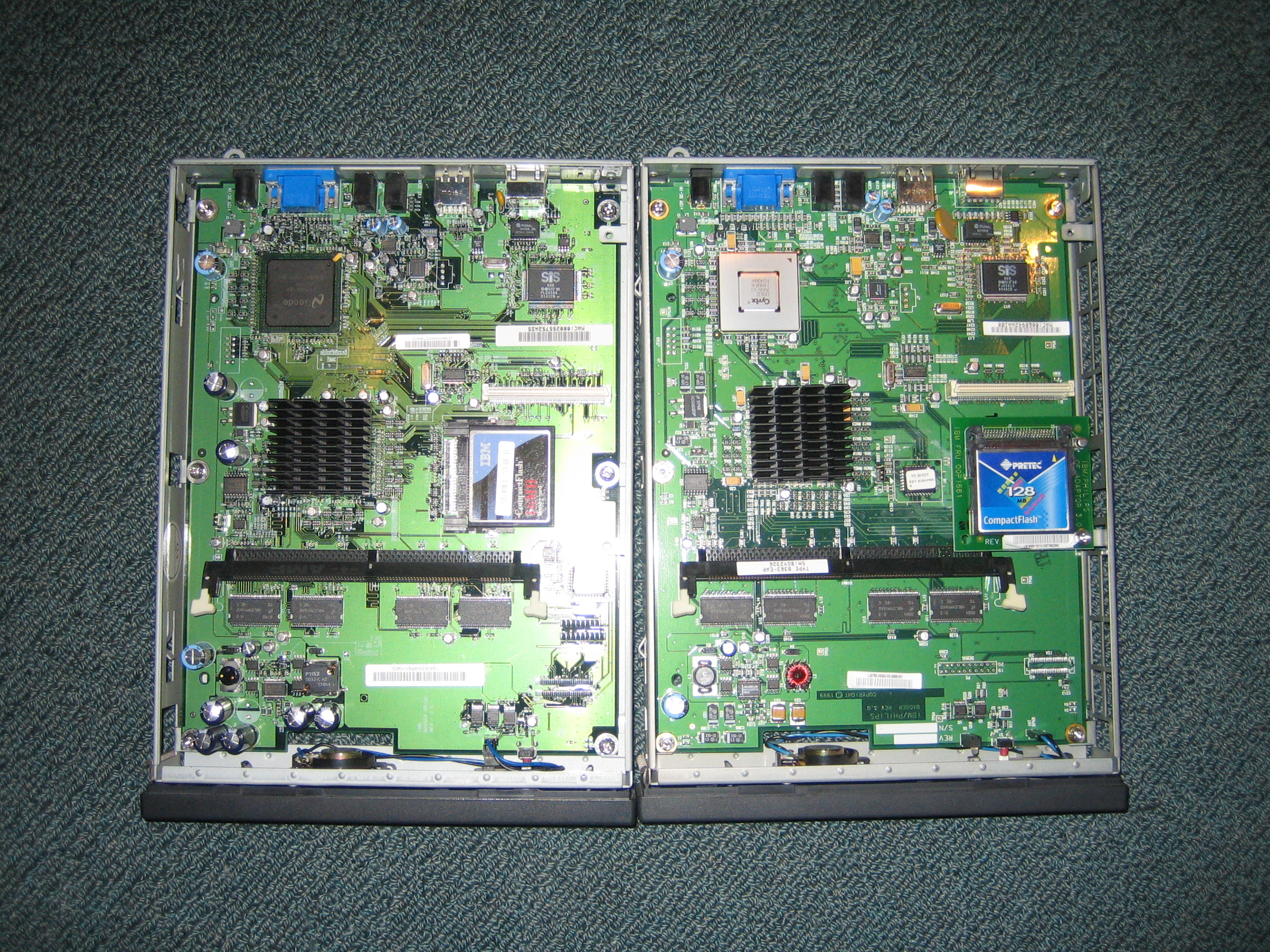
The 16mb flash card in the WXX contains Windows CE although this doesn’t work on the EXX model. Apart from that (and the small motherboard differences) the systems are almost identical. Each system has a Cyrix MediaGX subsystem (Video and CPU).
- CPU at 233MHz with 16k L1 memory (no L2)
- 3mb shared video card (up to 1280x1024)
- 32mb ram on board with a standard SDRAM slot, which can handle up to 256mb (288mb total)
- Compact Flash slot
- Ethernet
- 2x USB 1.1
- External power brick
- Microphone and Headphone slots
- Small internal speaker
- Completely silent, no fans (CRT monitor makes more noise)
Linux-2200 is a very basic Linux install based on Debian. It is quickly done and probably needs a little work. Here are some configuration changes I did to the system after I installed it. Make sure you make these changes to the flash card (and not the ram disc). Fixed the keyboard mapping as it is set to a German style keyboard.
- Delete the line “loadkmap < /key.map” from /etc/inti.d/rcS
- Remove /usr/X11R6/lib/X11/xkb
- change the IP address in /etc/resolv.conf to an ip address for your local (or ISP) DNS server
A quick note on performance
- System boots very quickly
- Runs happily on the base 32mb ram (although I’d recommend 64mb)
- XMMS plays mp3s without problems, although can skip if you are doing more than a few things
- Faster than I expected for a 233MHz Cyrix system with no L2 cache
There are some issues with Linux-2200, for example the web browser included (dillo) at its current version does not support CSS and many other things. I plan on getting firefox running on it, so I will update this page when/if it gets done. I would also like to redistribute Linux-2200 with some small changes (including the fixes above and firefox)
Other Software for the N2200 Other Links